

A credit card is an indispensable item in My winter carand you will have to use it regularly for various tasks.
All financial transactions in My winter car mainly occur through the digital environment. As long as you have cash, you will need to withdraw it from an ATM using your credit card. This guide will tell you everything you need to know about using the card. There is also an element of setting a PIN code for using the card at an ATM.
What is your credit card PIN in My Winter Car
There will be no PIN on your credit card when you start playing the game. The first four-digit code you use will be your PIN for the rest of the save. To do this, go to any ATM and use a credit card (you can try the card at gas station).
It is very important for you to remember the PIN because you cannot change it directly from the game. If you forget your PIN, you will not be able to access your money. Luckily, there is a workaround if you forget your PIN.
How to change your credit card PIN in My Winter Car
This part is a little tricky, so follow the instructions provided here.
- Open Locallow folder in AppData (can be found in the root directory of your PC).
- Open a subfolder Amistehand then go to My winter car folder.
- Inside you will find SaveFile.txt. Open the file and upload it to MSCEditor.
- Search for an entry Credit card PINand you will find your PIN. Here you can change the PIN and save it to change your old security code.
How to use a credit card in My Winter Car
Once you find an ATM, follow these steps.
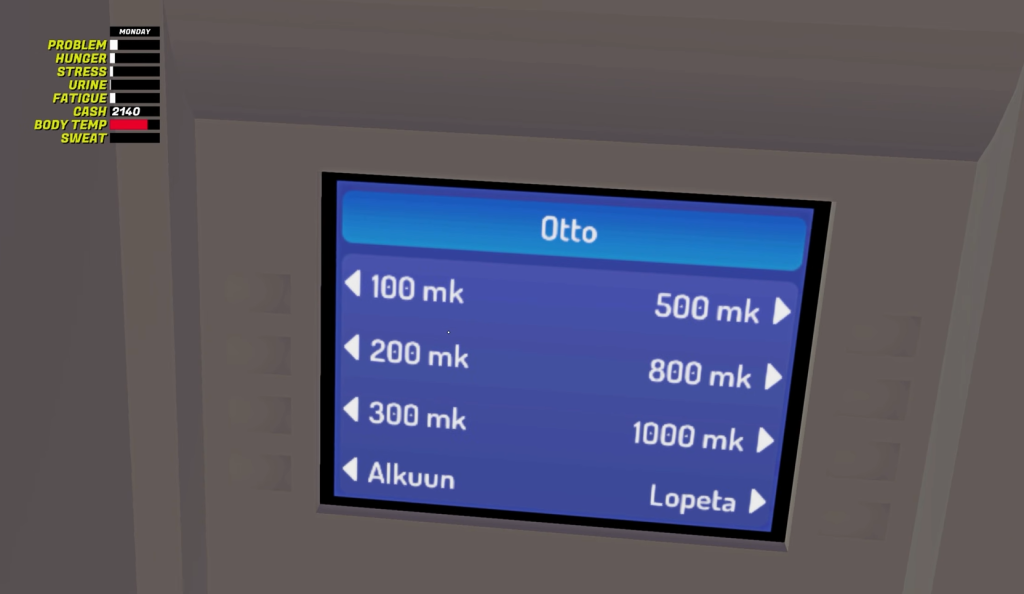
- Use your credit card and enter your PIN.
- If you want to withdraw money, select Otto.
- If you want to view transactions, select Hearings.
- Choose the correct amount.
After that, select your credit card and cash (this will automatically appear at the top of the screen along with other player attributes).



