

Congratulations, you are now the proud owner of one of the latest high-tech security devices. Obviously, your friends and family know how important it is for you to see who is behind the door, even if you are sunbathing on the beach on the other side of the world.
best home security cameras and the best video doorbells are quickly becoming essential gadgets for any smart home, and—if you thought your loved ones were being extra generous this holiday season—they don't cost a fortune. But now you have a security device, what do you do with it? Here we will guide you through the various steps.
1. Select your location
First of all, you need to decide where to install your device. Obviously, if it's a video doorbell, it should be mounted on the front door, but you need to mount it at the right height for someone to press it, as well as to capture surrounding motion. This is usually about 1.5 m from the ground. Conversely, if you're installing an outdoor camera, it should probably be mounted a little higher where it's out of reach – ideally 2m or higher. However, remember that if it is powered by disposable batteries or a rechargeable battery, you will need to access the device every couple of months to recharge/replace the battery (depending on its settings and the presence of a solar panel).
It is important to note that in order to capture video, the device must be close enough to the router (maximum distance is about 25 m). In addition, it is now possible to buy devices that will connect to the Internet via 4G/5G cellular networks, e.g. Eufy 4G LTE S330 Camera. For indoor cameras, there is much more flexibility in choosing where to place the security camera, especially if it is battery operated. However, it is obviously important to keep the device away from private areas such as bathrooms and bedrooms, unless you are using it as a baby monitor.
2. Configure the application for optimal recording.
One of the great things about your new smart security device is how easy it is to set up. This is basically done through a series of instructions in the Android/iOS app. Typically, all you need to do is scan the QR code from the device and then connect it to your home broadband network – a process that takes less than five minutes. Once you've done this, you can start setting up your device so that you're actually capturing the movement you want to record, and not random passersby.
To do this, you need to go to the application settings and configure motion detection zones. This usually involves looking at a grid of squares and choosing which ones you want to detect and which ones you want to exclude. It's also a good idea to adjust the device's motion sensitivity so it doesn't pick up every leaf that flutters on a tree or car that passes your home, and to adjust the sound levels to suit your needs. Finally, video quality is improving significantly, with most devices capable of displaying 1080p resolution and many now recording in 4K. However, keep in mind that if you record at the highest resolution, it will take up more than your allotted space on the cloud or MicroSD card.

3. Explore new smart features
Like most best smart home devicesVideo doorbells and home security cameras are emerging with cool new features that are worth checking out. For example, many can be controlled using voice commands in combination with smart speakers. Not only can you choose different ringtones for the speakers to play when someone presses the video doorbell (I'm currently set to play “Deck The Halls” when someone approaches the door), but you can also set up a motion-triggered routine. For example, the light inside the facility turns on automatically as soon as someone is detected using the camera/video intercom. For more information, see our review best video intercoms.
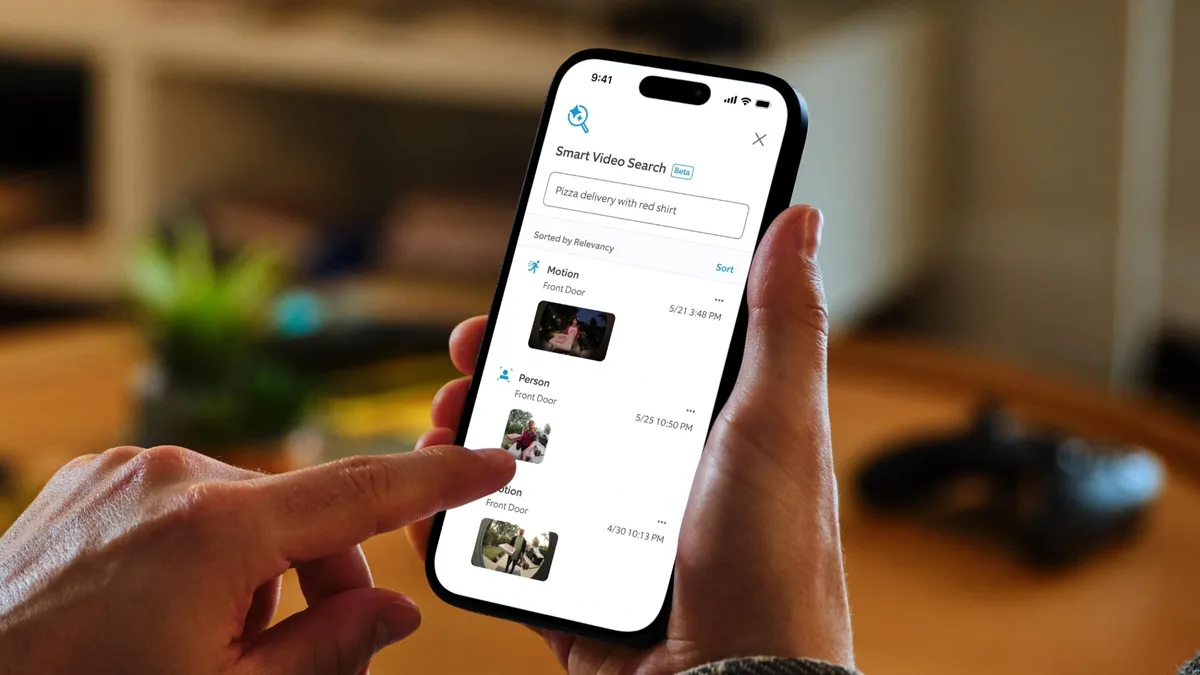
Another area in which devices are becoming more advanced is the use of artificial intelligence. Nowadays, both video doorbells and smart cameras usually distinguish between different types of movement and classify them accordingly – people, pets, cars, packages, etc. Some devices such as Google Nest Cam IQ indoorsThey even come with built-in facial recognition technology, allowing you to pay for a Nest Aware subscription.
For example, with Nest's Recognition of familiar faces The device's technology automatically sends an alert message when it detects an unfamiliar face. Swann's latest video intercom, SwannBuddy4K It's even equipped with an innovative voice assistant that will play automated messages to people who come to the door in a variety of accents, including English and Australian.

4. Expand your home security network.
So, you have your first video intercom or smart camera, what next? Why not get a few more! It's generally not too expensive and will give you much more control. For landlords or those lucky enough to live in multiple properties, most manufacturers allow you to set up multiple households with different types of security cameras (indoor, outdoor, and video intercom) in the app.
Some experts, like Yale University, also provide the ability to link your cameras to other security devices, such as burglar alarms, floodlights, and smart locks. So, for example, you can use the same app to monitor your property, and then when you get home, you can use the app instead of a key to enter and turn off the alarm. You also don't have to use devices from just one manufacturer. If you don't mind having several different apps on your phone, you can easily combine devices. Check out our list best home security cameras for advice on which one to choose.
Conclusion
Monitoring and protecting your property has never been easier. Thanks to the latest home security cameras and video intercoms, it's now possible to see who's in the 6ydoor, whether you're at work or thousands of miles away enjoying the winter sun.
New features are also being added, including facial recognition and voice assistants powered by artificial intelligence. You can even integrate your cameras with other devices around the house, including best smart lights and smart speakers. We hope you enjoy your new property protection Christmas gift.
Follow TechRadar on Google News. And add us as your preferred source to get our expert news, reviews and opinions in your feeds. Be sure to click the “Subscribe” button!
And of course you can also Follow TechRadar on TikTok for news, reviews, unboxing videos and get regular updates from us on whatsapp too much.

Best CCTV Cameras for Home



