

Aside from an over-the-air antenna, an over-the-air DVR is a must-have tool in the life of a cord-cutter.
With an over-the-air DVR, you can record shows from an antenna, rewind live TV broadcasts, and even fast-forward through commercials. Some DVRs can even stream video to multiple TVs or even let you watch recorded TV shows on your phone, tablet, or laptop while you’re away from home.
Fewer manufacturers are building over-the-air DVRs these days, but some smaller hardware and software makers are still putting up the good fight, providing a level of control you just don’t get from streaming services alone.
Best over-the-air DVR reviews
BitRouter Zapperbox M1 – Best OTA DVR right now
Pros
- Straightforward way to record over-the-air TV
- Plays and records encrypted ATSC 3.0 channels
- Product is regularly improving through software updates
Cons
- Tuner management can get tricky
- No visual preview to help skip over commercials
- Can’t sort series recordings by season
Price When Reviewed:
$249.95 (single tuner); $274.95 (dual tuner)

Who should buy the ZapperBox M1
The ZapperBox M1 is ideal for folks who want to future-proof their DVRs for ATSC 3.0 and avoid the vagaries of in-home streaming, which some other over-the-air DVRs require. It’s pricey at $275 for a dual-tuner model (plus the subscription fee), but dependable.
As of November 2025, it’s the only over-the-air DVR on the market that can record encrypted ATSC 3.0 channels, which a growing number of broadcasters are adopting.
Still, those who want more advanced features, such as out-of-home streaming and automatic ad skipping, should look elsewhere.
Further considerations: Bitrouter ZapperBox M1
The ZapperBox M1 is a simple, plug-and-play DVR with a list of features that is steadily growing. It connects directly to your TV’s HDMI port and uses your choice of a microSD card or an external USB drive for storage. The $30-per-year DVR subscription provides a 14-day grid guide and series-based recordings.
It also supports other ATSC 3.0 features, such as Dolby dialog boost, HDR video, and additional broadband-based channels.
Read our full
ZapperBox M1 review
Channels DVR – Best OTA DVR for power users

Pros
- Records both over-the-air and live streaming channels
- Slick software with lots of DVR creature comforts
- Excellent audio and video quality for broadcast channels
Cons
- Complicated setup
- No Roku or game console support
- Subscription fee is higher than other over-the-air DVRs
Price When Reviewed:
$8 per month or $80 per year (as of Feb. 2025)
Who should buy Channels DVR
Between the hardware requirements and the subscription price of $8 per month or $80 per year, Channels DVR is not for everyone. But if you seek an over-the-air DVR solution that allows for customization and extensibility—while still being a joy to actually use—this is as good as it gets.
Channels DVR: Further considerations
Channels DVR is a software solution that runs on a desktop computer, NAS box, or Raspberry Pi. You must also supply an HDHomeRun tuner to capture over-the-air channels and relay them to your server device.
For those who bother setting it all up, the result is a deeply rewarding media center experience with automatic ad-skipping, out-of-home viewing, custom channel categories, and more. You can even bring in video from other sources—such as DVD rips and online M3U streams—giving you one app in which to view everything.
Read our full
Channels DVR (2020) review
Plex DVR – Best OTA DVR for power users, runner-up

Pros
- Access your DVR on practically any streaming device, from anywhere
- Automatic ad skipping and optional commercial deletion
- Lots of granular control over what to record
Cons
- Occasional glitches with loading the live TV menu
- Interlaced channels can look choppy on Apple TV, iPhones, and iPads
- Free streaming content integration can get annoying to work around
Price When Reviewed:
$6.99 per month, $69.99 per year, or $249.99 for life
Who should buy Plex DVR
DIYers who have the know-how to set up the required hardware, don’t mind not being able to record streaming content, and can be patient with occasional glitches in Plex’s live TV menu.
When you’re finished, you’ll have a robust DVR system with powerful recording features, ad skipping, and out-of-home viewing; plus, no ongoing fees if you opt for a $250 lifetime Plex Pass, which is also available on a montlhy ($6.99 per month) or annual ($69.99/year) basis.
Plex DVR: Further considerations
Plex’s over-the-air DVR solution offers ad-skipping, out-of-home viewing, and an affordable subscription, including a lifetime option. The software provides granular options for choosing what to record, and you can play your recordings on any practically any streaming device from anywhere in the world you have broadband access.
This isn’t an out-of-the-box experience, though, so be aware of what’s involved. You’ll need a TV tuner, a TV antenna, and a device that will operate as a home server. That can be an Raspberry Pi, a NAS box, or an old computer you have laying around the house. Whatever you pick, it will need be powered up 24/7 and you’ll also need some storage to hold your recordings. Channels DVR offers a smoother experience overall, but it’s more expensive and you’ll have fewer hardware options.
Read our full
Plex DVR review
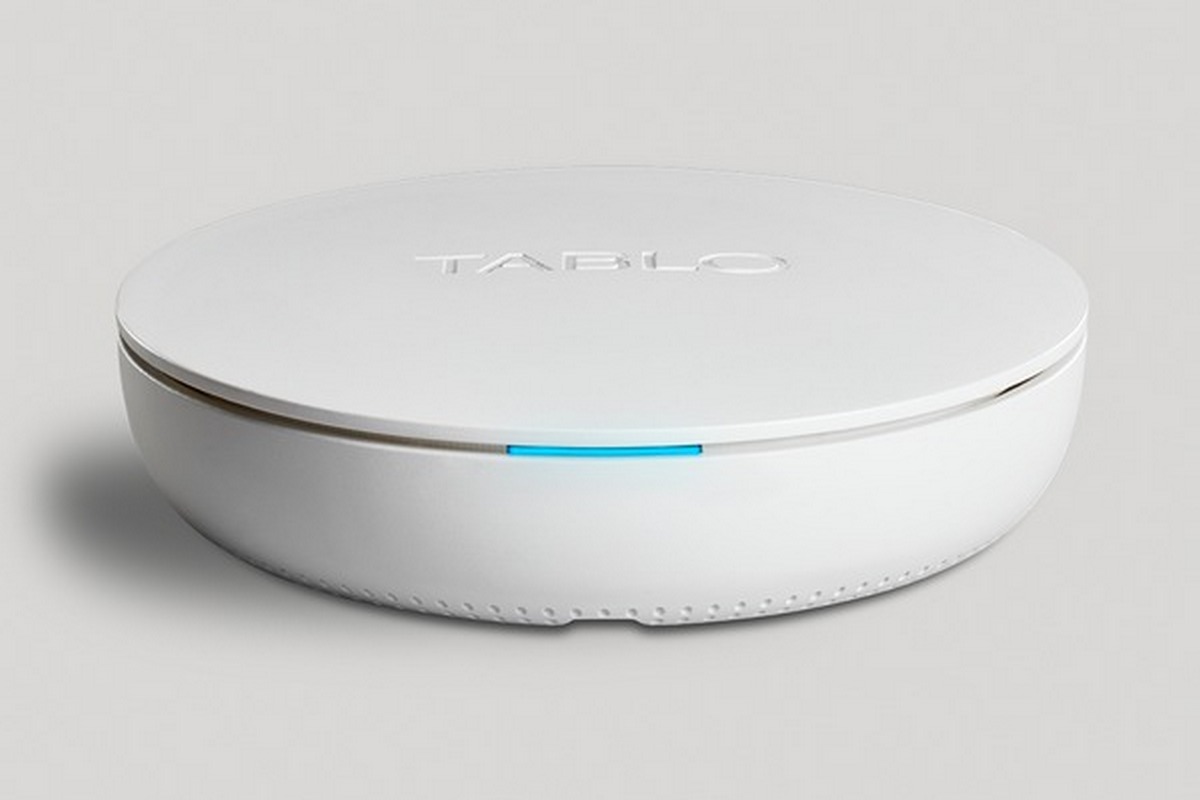
Tablo 4th-generation DVR – An inexpensive option (with caveats)
Pros
- Records from an antenna with no subscription required
- Free streaming channels provide even more to record
- Robust series-recording options
Cons
- Significant stability issues and bugs
- No schedule view makes tuner management difficult
- Roku app lacks a mini guide
Price When Reviewed:
$99.95 ($129.95 with an over-the-air antenna included)

Who should get the Tablo 4th-gen DVR
If you have a high tolerance for bugs and really want to avoid additional subscription fees, take a chance on the Tablo. We’ll revisit this DVR in the future to see if its reliability issues have been resolved.
Update: Tablo manufacturer Nuvyyo dropped a Tablo update in August 2025 that added an offline mode to the DVR, which should allow you to keep watching over-the-air TV and access DVR recordings even during server or internet outages.
Tablo 4th-gen DVR: Further considerations
We’d love to put the 4th-gen Tablo at the top of this list, because on paper it offers so much. For $99 with no subscription fees, a single Tablo DVR can stream video onto multiple TVs throughout the home, using companion apps for various smart TV and streaming platforms. It can even record from dozens of free streaming channels, giving you more to watch than other over-the-air DVRs.
But in our testing, the newest Tablo repeatedly dropped offline, failed to complete scheduled recordings, and had numerous other bugs. We include it here because there simply aren’t many other options worth considering.
Read our full
Tablo (4th Generation) Over-the-Air DVR review
Other over-the-air DVRs we’ve tested
AirTV Anywhere is an over-the-air DVR from a subsidiary of Dish Network, designed to integrate with Dish’s Sling TV streaming service. Plug in an antenna, and you can watch or record live TV through the Sling TV app, even without a subscription. The lack of subscription fees is great, but recording capabilities are limited, and Sling hasn’t updated the product line since 2020, which doesn’t instill confidence. Jellyfin’s open-source software runs on any desktop computer and uses an HDHomeRun tuner to capture video from an antenna. While it’s free to use, the setup is a hassle, the companion apps are unintuitive, and you must supply your own TV-guide data, which you’ll most likely need to pay for anyway. Skip it unless open-source is part of your personal tech manifesto. SiliconDust offers its own DVR software for HDHomeRun tuners, but it no longer offers the Scribe tuner hardware that had built-in recording capabilities. That means you need a separate desktop computer to create and store the recordings. Its software is less refined than both Plex and Channels DVR, so we recommend those solutions in conjunction with an HDHomeRun tuner for DIY-minded users. Mediasonic sells subscription-free DVRs for less than $40 under the Homeworx brand, with no subscription fees. The experience is cruder than every other option we’ve mentioned here, but you can’t argue with the price.
How we test over-the-air DVRs
Our testing involves assessing the setup process for each DVR, including the hardware and software components, followed by an evaluation of the user interface and available DVR functionality.
We also consider subscription prices and server reliability, as well as which streaming player platforms (such as Amazon Fire TV, Apple TV, and Roku) are supported.
Why you should trust us
Over-the-air DVRs are remarkably complex products, and we’ve tested practically every cord-cutting DVR device that’s come out over the past decade. We regularly evaluate the latest hardware and software, along with any associated subscription fees. We’ve checked out all-in-one DVRs, software DVR solutions, and more. You can trust us to guide you to the right cord-cutting DVR for your needs.
Who curated this article?
A cord-cutter since 2008, Jared Newman has been a freelance technology journalist for more than 15 years and is a regular contributor to PCWorld, Fast Company, and TechHive, where he’s written a weekly cord-cutting column since 2014. His Cord Cutter Weekly newsletter has more than 30,000 subscribers, and his Advisorator tech advice newsletter is read by nearly 10,000 people each week. Jared has a master’s degree in journalism from NYU and specializes in making complex tech topics easy to understand, from streaming and cord-cutting to neat apps and useful tech tricks. He is based in Cincinnati, Ohio.
Frequently asked cord-cutting DVR questions
What can I watch with an over-the-air DVR?
This depends on the type of antenna you have, the number of broadcast stations nearby, and the quality of your signal. At best, you’ll have access to ABC, CBS, NBC, Fox, CW, PBS, and other public-access stations, along with digital subnetworks such as MeTV and ION. (An antenna won’t get you any cable channels such as ESPN, TNT, and HGTV, regardless of what sleazy antenna marketing says.) Plug your address into Antennaweb’s lookup tool for a sense of what’s available at your location.
Can I record streaming services?
While the fourth-generation Tablo can record from a small number of free streaming channels, most over-the-air DVRs only work with the channels you get from an antenna. If you want to watch and record regular cable channels, you’re better off subscribing to a live TV streaming service that includes a cloud-based DVR. You can’t record shows from services like Netflix or Hulu, at least not without elaborate workarounds.
What’s a tuner and how many do I need?
Most over-the-air DVRs come with either two tuners, which can play or record two channels at a time, or four tuners, which can play or record four channels at a time. More tuners means less potential for recording conflicts, but the hardware is more expensive, and splitting the signal from a single antenna can degrade signal quality, which is a problem if your reception is borderline to begin with.
Can I expect better or worse reception with an over-the-air DVR?
As mentioned above, splitting an antenna across multiple tuners can result in some signal loss, but networked tuners such as Tablo may allow you to place your antenna in an area with better reception, such as on an upper floor in a window facing your nearest broadcast towers. There’s always some trial and error involved with over-the-air reception, and DVR products are no different. (Tablo has some helpful tips on optimizing reception, with or without an over-the-air DVR.)
Is an ATSC 1.0 DVR still worth getting?
Broadcasters must support ATSC 1.0 until at least February 2027, but because ATSC 3.0 isn’t backward-compatible with existing tuners, it’s hard to envision them leaving the old standard behind in that timeframe. Many TV makers are still shipping new sets with ATSC 1.0 tuners, and there’s no federal mandate forcing anyone to move onto the new standard. Barring some government intervention that leads to a surge in ATSC 3.0 adoption, ATSC 1.0 DVRs should still have a long lifespan ahead.



